SafeTap
Solo developer · AI-assisted development
Deployed · Operational use not yet tested
Connecting campus identification with classroom attendance and emergency accountability, including live check-ins and offline scan queues.
- JavaScript
- Node.js
- Express
- Socket.IO
- MySQL
October 2026
Prepare. Check in. Keep working offline.
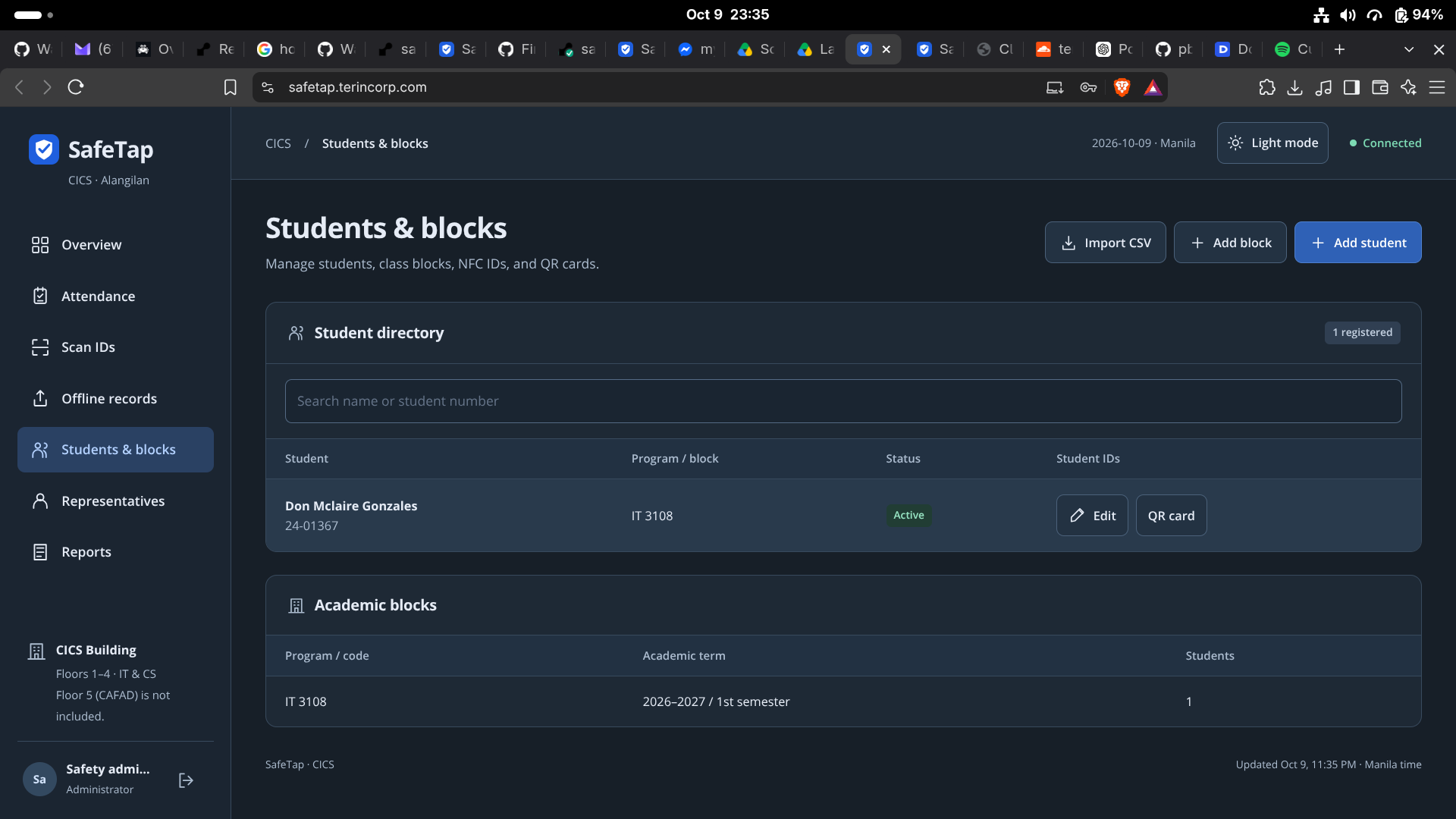
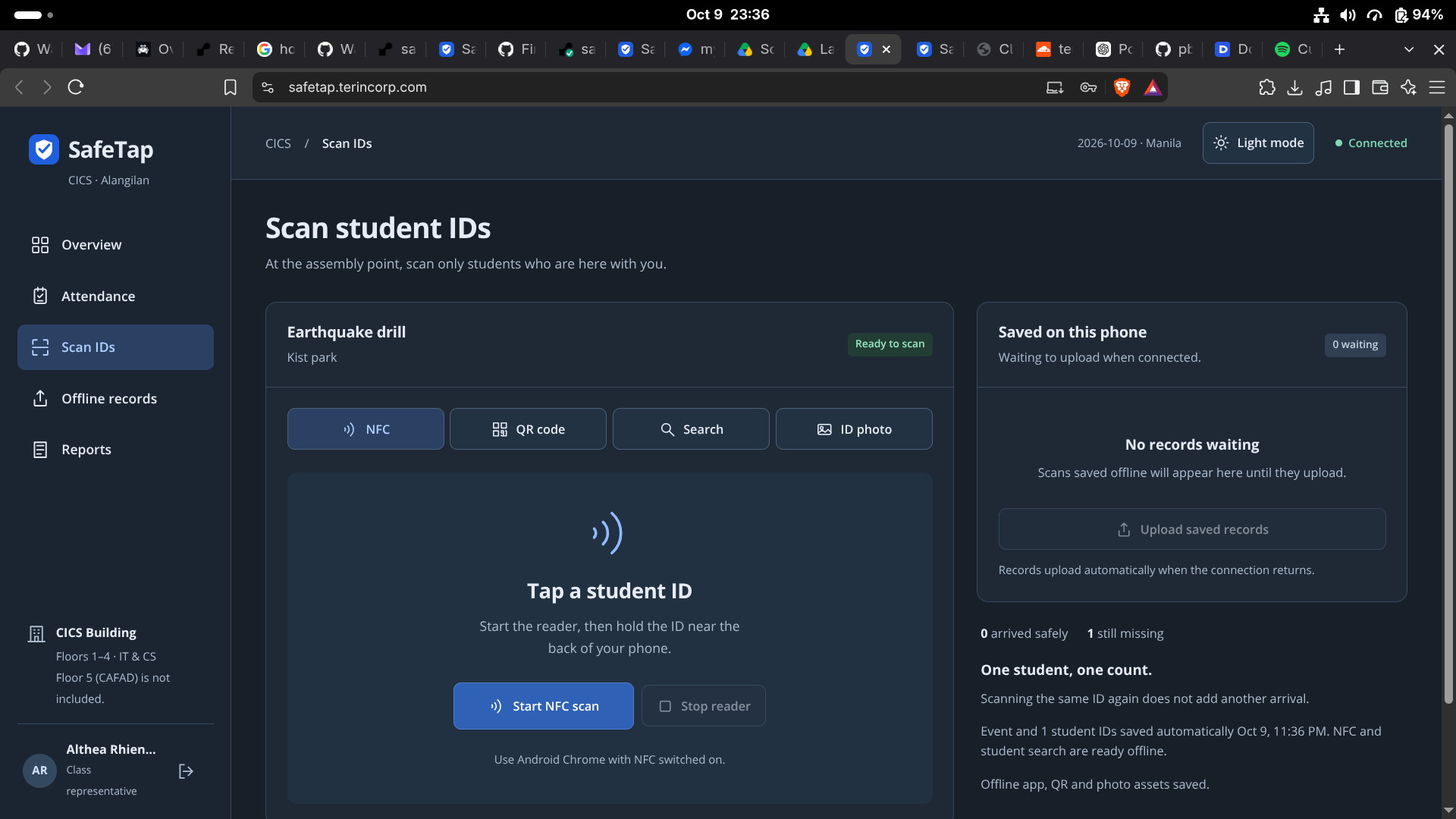
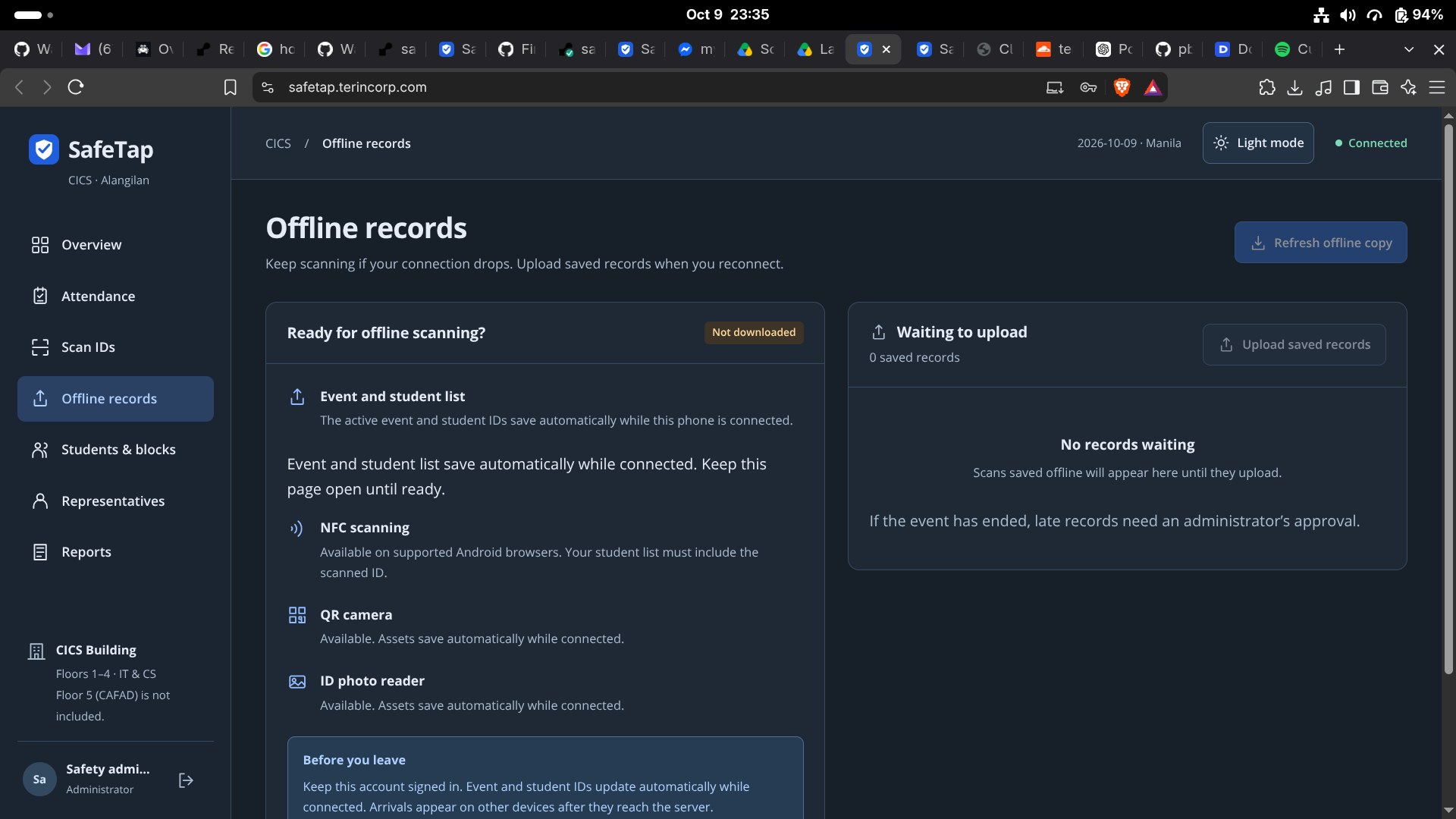
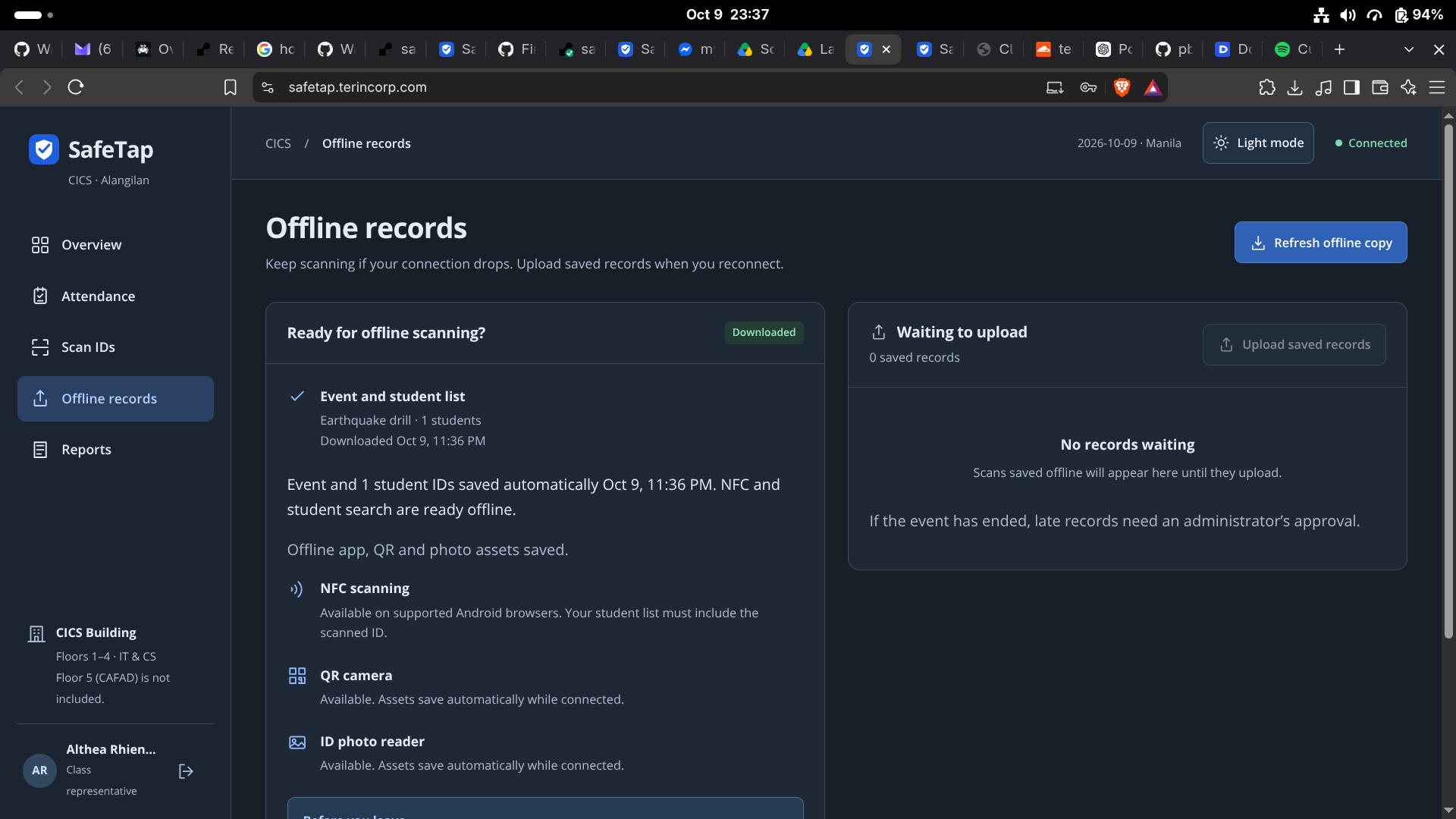
Choose a step to follow the workflow. Markers highlight the relevant part of each original screenshot.
A design decision
Offline scan queuing separates recording an arrival from synchronizing it. Local preparation and later synchronization help the workflow continue when connectivity is interrupted.
The tradeoff
Queued records are not yet shared records. Readiness and synchronization status need to stay visible to the representative.
Why I built it
New campus identification cards and my DRRM responsibilities prompted a question: could campus identity also support student accountability during an evacuation? I proposed SafeTap for Web Systems and Technologies.
The application
SafeTap combines class attendance, emergency event check-ins, live arrival counts, unaccounted-student lists, offline scan queues, audit records, and exportable reports for administrators and class representatives.
The challenge
Deployment, NFC and QR identification, and the floor-plan interface required the most research. I explored free service options to reduce the cost of making the application accessible.
Technical decisions
The system combines Express, MySQL, and Socket.IO. NFC support depends on a compatible device and browser over HTTPS; QR and other identification methods provide alternatives. The floor view is a schematic reference, rather than a to-scale building plan.
Current status and feedback
The application is deployed, but it has not been used for actual campus operations or an emergency. Some friends liked the interface; this is informal peer feedback, with operational validation still ahead.
Security decisions
I implemented salted scrypt password hashing, expiring sessions, HttpOnly and SameSite cookies, CSRF tokens, login-attempt limits, server-side role checks, and parameterized database writes. API tests include missing-CSRF and unauthorized-role scenarios. These are implemented controls, rather than a completed penetration test or a guarantee of security.
Security work still ahead
Production cookie and HTTPS settings need deployment verification. Student-directory visibility needs a least-privilege review to confirm which records each role requires. Operational security validation remains a separate milestone before actual campus use.
What I learned through this project
The experience I take into the next project: technical decisions, practical tradeoffs, and ways of working.
Planning deployment within a budget
I learned to research hosting services and their constraints before choosing a deployment approach, keeping cost in mind alongside connectivity and application requirements.
Designing identification alternatives
Implementing NFC and QR taught me to account for device compatibility and provide alternate check-in paths instead of depending on one scanning method.
Coordinating online and offline state
Offline queues and live updates gave me experience distinguishing recorded check-ins from synchronized arrivals and thinking through reconnection and duplicate records.
Representing space clearly
Working on the floor interface taught me to communicate what a schematic can show and where actual campus validation is still needed.
Security review history
Dated findings and follow-up evidence. Review items are distinguished from confirmed vulnerabilities and verified fixes.
Review student-directory access
Authenticated users receive the student directory. Review the operational requirements to determine the records each role needs.
Validation: Response code inspected; the intended access policy needs confirmation.
Inside the application
A closer look at the project.
Try the idea.
See the difference.
A SafeTap interaction demo.
Fictional students. Everything stays in this page.
Connection lost.
Check-ins continue.
Tap a student to record an arrival. Switch offline, record another, then reconnect to synchronize the queue.
A queued arrival is recorded on this device. It joins the shared count after synchronization.
Explore SafeTap’s actual workflowsSynced arrivals0 queued on this device · 4 awaiting
Choose a student to check in
- Alex RiveraAwaiting check-in
- Sam CruzAwaiting check-in
- Jamie ReyesAwaiting check-in
- Taylor SantosAwaiting check-in
Loading interactive controls…
Recent activity
No check-ins yet.